PPF & Window Tint
Cutting Software
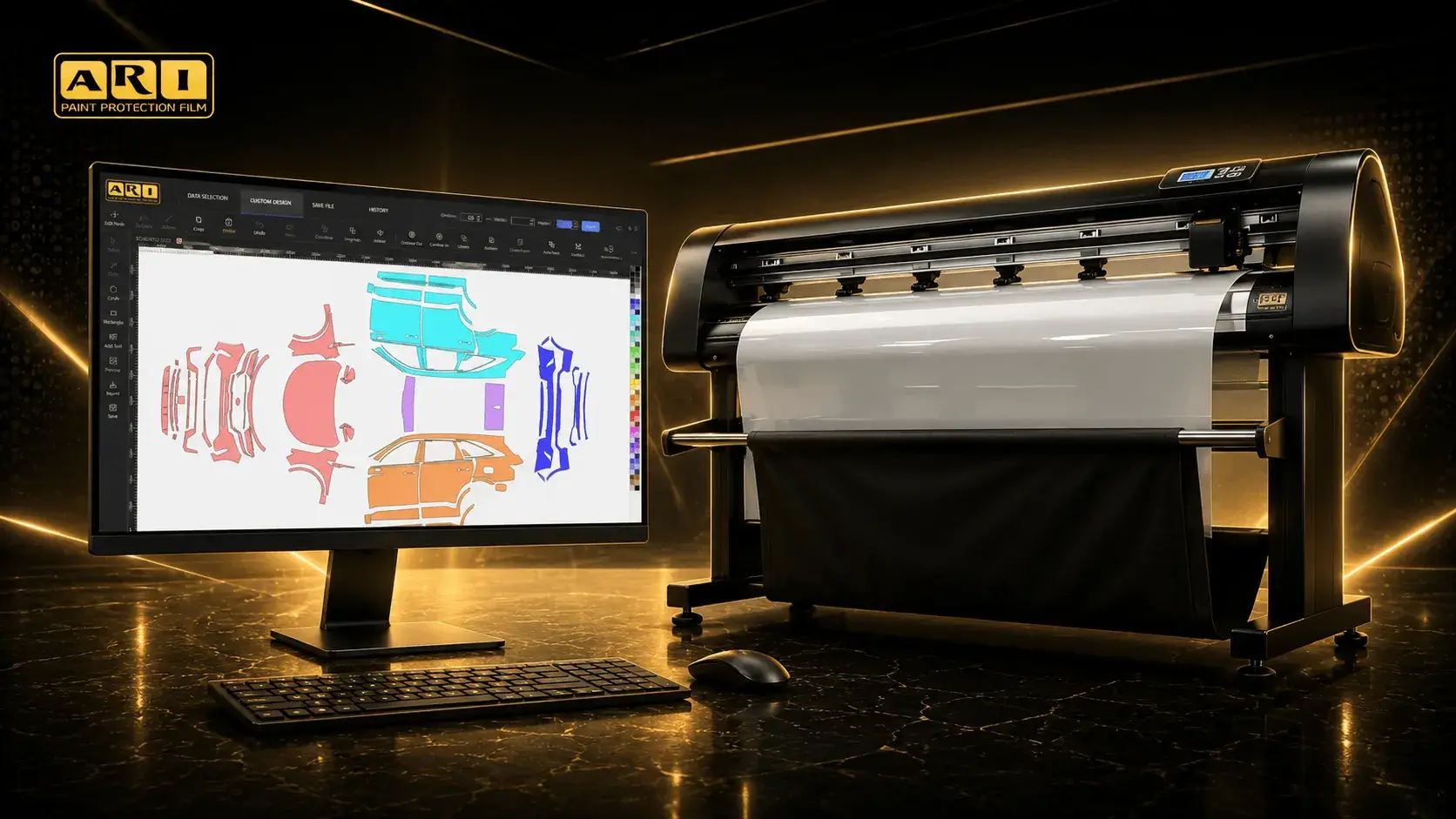
Pick the vehicle, adjust the pattern to the real car and send it straight to your plotter. Installs go faster, less film is wasted and no blade touches your customer's paint.
What is ARICut?
ARICut is PPF cutting software for car film installers, covering exterior and interior paint protection film (PPF) as well as window tint. You pick the vehicle in the PPF pattern database, adjust the pattern to the real car, nest it automatically and send it straight to your plotter, so no blade touches the paint.
ARICut is the PPF cutting software built by ARI PPF for film installers. To show customers the film color on their exact car first, add ARIWrap, our car wrap visualizer.
Free trial- Used for
- Cutting exterior PPF, interior PPF and window tint patterns
- Pattern library
- PPF patterns by make, model and year, updated regularly
- Plotters
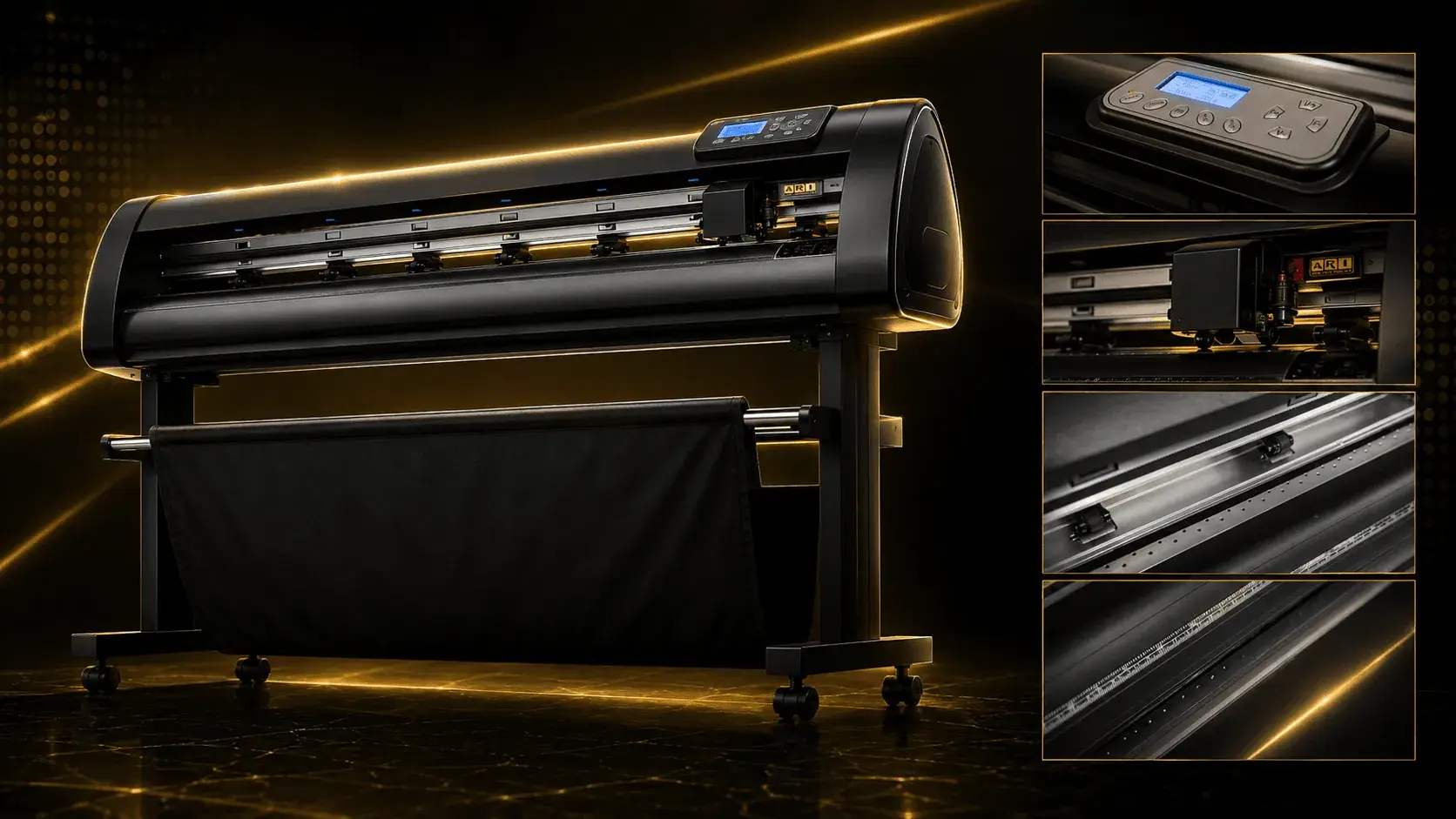
- Graphtec, Roland, Summa and other plotters with a Windows driver
- Computer
- Windows 10/11 64-bit, 8 GB RAM recommended, internet required
- Export
- SVG, DXF, PLT
Made for PPF and window tint installers
Easy-to-use interface
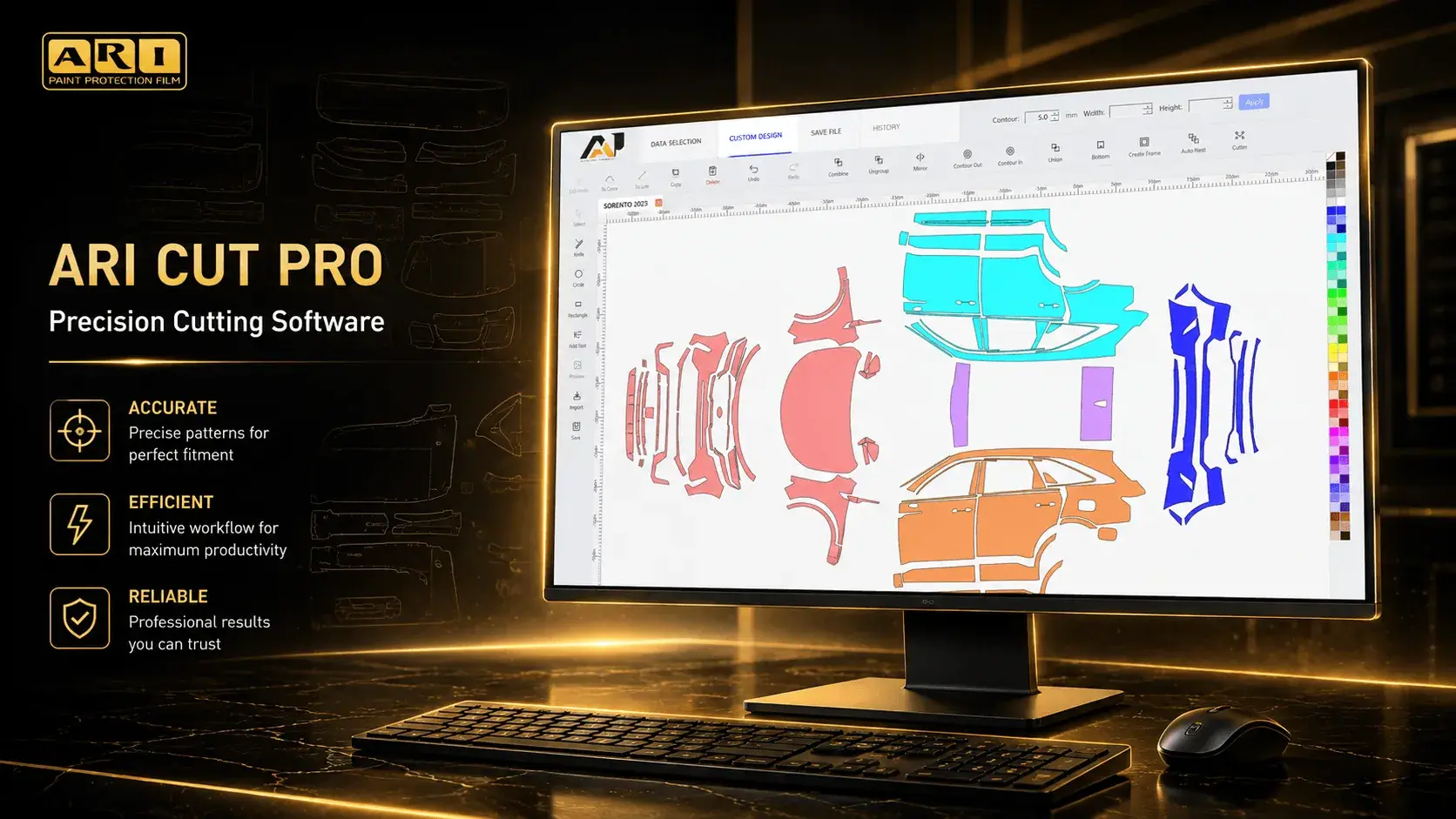
Four clear tabs: pick the car, edit and cut, saved files, cut history. Installs quickly on Windows 10 and 11.
Flexible pattern editing
Offset contours, merge or split panels, and add text or shapes right on the pattern to fit the real car.
Faster jobs
Keyboard shortcuts for common actions and automatic nesting cut the time spent on every car.
How does the PPF cutting software work?
ARICut, the PPF software from ARI, works in three steps right in its interface.
- 1
Pick the vehicle
Search the PPF pattern database by make, model and year. It holds exterior PPF, interior PPF and window tint patterns.
Data Selection - 2
Adjust to the real car
Offset contours in or out, merge or split panels, mirror pieces, and add text or shapes for custom jobs.
Custom Design - 3
Nest and send to the plotter
AI material optimization (the Auto Nest button) rotates and packs the pieces tightly across the film width. You then send the job to your plotter over USB or LAN, or export PPF cut files as SVG, DXF or PLT.
Auto Nest · Cutter buttons
See ARICut at work
Keep the blade off your customer's paint
Cutting by hand on the car
- The blade runs directly over the paint and can leave scratches
- Edge quality depends on each installer's skill
- Extra film is left for trimming, so more of the roll is wasted
- Every car takes extra time to measure, cut and tidy the edges
Pre-cut with ARICut
- Patterns are cut on the plotter, never on the car
- Vehicle-specific patterns give consistent edges across your team
- AI material optimization packs pieces tightly to reduce film waste
- Pick the car and the pattern is ready to adjust and cut, so installers can spend their time fitting film
Built for professionals
- PPF pattern database by make, model and year
- Accurate vehicle-specific patterns, updated regularly for new models
- Flexible editing for custom jobs
- Tighter nesting means less film waste and better margins
- Runs on 64-bit Windows 10 and 11

Runs on Windows, works with many plotters
ARICut pricing
From $300 to $1,299, depending on the plan
Free trial
7 days · 20 m² of cutting
- Open 5 patterns a day for 7 days
- Cut up to 20 m² of film in total
- Shop reviewed by ARI, account by email
200 m² pack
Valid for 12 months, pay only for what you cut
- Pay only for the area you cut
- Top up anytime: unused m² carries over
- Full PPF and window film pattern library
- Failed cut? The m² is refunded automatically
6-month plan
Paid once for the whole period, no auto-renewal
- Unlimited m²
- Full PPF and window film pattern library
- Renew early without losing remaining days
Yearly
Paid once for the whole period, no auto-renewal
- Unlimited m²
- Full PPF and window film pattern library
- Renew early without losing remaining days
Interior PPF plans
For shops that only install interior PPF: interior and door handle patterns, without exterior or window film patterns.
Interior 6-month plan
Interior and door handle patterns only
- Interior PPF and door handle pattern library
- Unlimited m²
- Renew early without losing remaining days
Interior 1-year plan
Interior and door handle patterns only
- Interior PPF and door handle pattern library
- Unlimited m²
- Renew early without losing remaining days
Window film plans
For shops that only install window film: the window film pattern library, without exterior or interior PPF patterns.
Window film 6-month plan
Window film patterns only
- Window film pattern library
- Unlimited m²
- Renew early without losing remaining days
Window film 1-year plan
Window film patterns only
- Window film pattern library
- Unlimited m²
- Renew early without losing remaining days
Try the PPF cutting software
Frequently asked questions
Getting started
Is there a PPF cutting software free trial?
Yes. ARICut has a free 7-day trial for car wrap, PPF and window film shops, no card needed: browse the full pattern library, open 5 patterns a day and cut up to 20 m² of film on your own plotter. We check your shop details before creating the account, and each email and each computer can try ARICut once.
How do I sign up for the ARICut trial?
Fill in your shop details and email in the free trial form on this page, enter the 6-digit code we email you, then wait for our review. The form needs at least one link that shows your shop's work (Facebook page, Instagram, Google Maps or a website). Once approved, ARI emails you the download link and your sign-in details during business hours.
I didn't get the verification code. What should I do?
The 6-digit code from ARI is valid for 10 minutes. If you can't find it, check Spam or Promotions, wait for the 60-second countdown to end, then click Resend code. If the code has expired or you entered it wrong too many times, click Resend code as well; if you mistyped your email, go back and enter it again.
What happens when the free trial ends?
When the trial ends, your ARICut trial account stops cutting. To keep going, sign in to ARICut with the same account, tap Buy a plan inside the app and pay; the plan activates on that account as soon as your payment goes through.
How do I learn to use ARICut?
ARICut has four tabs: Data Selection to pick the vehicle, Custom Design to edit the pattern, then nest it with the Auto Nest button and send it to the plotter with the Cutter button, Save File to save and share files, and History to look back at past cuts. There are keyboard shortcuts for common actions. The interface is available in 13 languages, including English; if you have questions while using it, message ARI on WhatsApp.
Pricing and payment
How much does the paint protection film cutting software cost?
ARICut has m² packs valid for 12 months; unused m² carries over when you top up. Busy shops can go unlimited for 6 months or a year. Shops that only install interior PPF can pick a 6-month or 1-year interior plan. Shops that only install window film can pick a 6-month or 1-year window film plan. The PPF cutting software price ranges from $300 to $1,299 depending on the plan; message ARI on WhatsApp for exact prices, or sign in to the app and open Buy a plan. There is a free 7-day trial before you buy.
How do I buy an ARICut plan and pay?
If you already use ARICut, including a free trial or an expired plan, sign in to the app and tap Buy a plan to see prices and pay by card or PayPal. The plan activates as soon as your payment goes through. New shops can start a free trial on this page or message ARI on WhatsApp for a quote.
How long are m² packs valid, and do they renew automatically?
ARICut m² packs are valid for 12 months. When you buy another pack, any remaining m² carries over, and plans never renew automatically.
How does ARICut measure m²?
ARICut counts the area of the bounding box around the pieces on the film sheet, the same figure shown in the Material area field when you cut. Gaps between pieces inside that box still count, so tighter nesting uses fewer m².
Is the unlimited plan really unlimited?
Yes, ARICut's 6-month and yearly plans don't deduct m² per cut. The fair-use level is 500 m² per month, reset at the start of each month, and it exists only to stop one account being shared between shops.
Features
Does ARICut include PPF templates for my vehicle model?
ARICut's pattern library holds PPF cut files by make, model and year for exterior and interior panels, plus window tint patterns. Send us the make, model and year and we'll confirm the pattern is available before you buy.
Can ARICut also be used as window tint cutting software?
Yes. ARICut is window tint software and PPF cutting software in one install. The library includes window tint patterns by vehicle, so it also works as window film cutting software on the same plotter you use for PPF. Shops that only tint can use it as car tint software with a window film plan.
Is the PPF pattern database updated for new cars?
Yes. ARICut's PPF pattern database is updated regularly to keep up with new models. If you need a specific vehicle, send us the make, model and year and we'll check.
Can I edit patterns and save my work?
Yes. ARICut is PPF pattern software with a Custom Design tab where you can offset contours, merge or split panels, mirror pieces and add text or shapes for custom jobs. The Save button stores your design in your ARICut account, together with your cut history.
What is AI material optimization?
It's ARICut's automatic nesting (the Auto Nest button). AI rotates and packs the pieces tightly across the film width and pushes them to the start of the cutting area, so less film is wasted and the rest of the roll stays in one piece for the next job. ARICut counts m² by the bounding box of the pieces, so a tighter layout saves both film and m² from your plan.
Using ARICut and troubleshooting
What computer does ARICut need, and does it run on a Mac?
ARICut runs on 64-bit Windows 10 or 11; there is no macOS version. For stable daily use, we recommend a modern multi-core processor, at least 8 GB of RAM, an SSD with free space and a Full HD screen. Installing ARICut and the plotter driver requires Administrator rights.
Does ARICut need an internet connection?
Yes. ARICut needs a stable internet connection to sign in, load patterns from the library, run AI material optimization and receive updates.
Can I use one ARICut account on several computers?
No, each ARICut account works on one computer. For more computers, buy additional accounts; every computer after the first gets 50% off.
I can't sign in to ARICut. What should I do?
Check your internet connection first, because ARICut needs it every time you sign in. An expired account, a finished trial or too many wrong passwords will also stop sign-in. In that case, message ARI on WhatsApp and we'll check and reopen your account.
I installed ARICut, but there's no icon or it won't open.
Antivirus software sometimes blocks or removes the main ARICut file right after installation, so no desktop icon appears. Add the ARICut install folder to your antivirus exclusions, then reinstall with the latest installer (the link in the email we sent you). The installer already includes Microsoft Visual C++, so nothing else needs to be downloaded.
Plotters and cutting
Which plotters work with ARICut PPF plotter software?
ARICut works with PPF cutting machines (plotters) from Graphtec, Roland and Summa and with many other plotters that have a Windows driver and accept standard vector cut commands. Send us the exact model, connection type (USB or LAN) and Windows version, and we'll check compatibility before you buy. Window tint jobs run on the same plotter, so ARICut also works as window tint plotter software with no extra hardware.
My plotter isn't on the list. Can I still use it?
Whether a plotter works with ARICut depends on its exact model, driver, connection and Windows version. Send us the make and full model, the connection (USB, LAN or COM port), your Windows version and the plotter's maximum media width, and we'll check compatibility before you buy.
My plotter is on the list, but ARICut doesn't detect it.
Check that the plotter works with the manufacturer's own software, that the correct Windows driver for that model is installed, and that the USB or network connection is stable. In ARICut's send-to-plotter window, click Scan to search again; for a LAN plotter, enter its IP address and click Test connection. If it still isn't detected, send us the plotter model, connection type and Windows version.
My plotter cuts, but the patterns are off or the wrong size.
Before a real job, cut a small test pattern with ARICut and check scale, pattern orientation, blade offset, cutting force and film feed. While cutting, don't unplug the cable, change drivers or let the computer sleep; on some USB plotters a large file can take a few minutes to finish without being frozen. If cuts are still wrong, send us the plotter model, connection type and a description of the problem.
How it works
- 1Tell us about your shop and enter your email to get a 6-digit code
- 2Enter the code: ARI checks your shop, then emails the download link and your account during business hours
- 3Install ARICut, browse the full library, open 5 patterns a day and cut up to 20 m² of film for 7 days
Become an ARI Dealer
Get wholesale pricing, genuine cutting software and factory warranty support. Join the ARI installer network.